Muse Mail gives your Muse an address of its own, like yourname@muse.ai. You forward email to it from your own account, and it handles what you ask.
Set it up
Send this in your Muse chat:
Set up your Muse Mail address.
Muse replies with a Muse Mail card. Tap Setup, pick a name, and enter the code it emails you. If your name is taken, try your full name. Mine was.
The setup screen says that emails Muse sends and reads may be used to improve AI at Meta. You can change that, or disconnect the address, in Muse's Settings.
Write what you want on every forward
This is where people in Muse groups get stuck. Forward an email with no note, and Muse keeps it and does nothing.
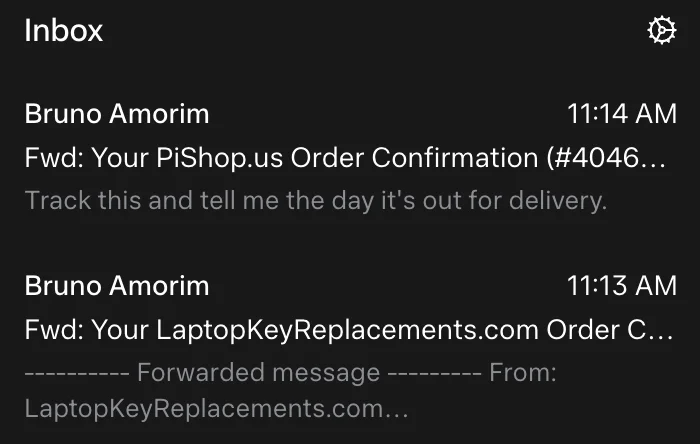
I forwarded two order confirmations from my Gmail. The one with no note sat in its inbox. On the other, I wrote one line above the forwarded email:
Track this and tell me the day it's out for delivery.
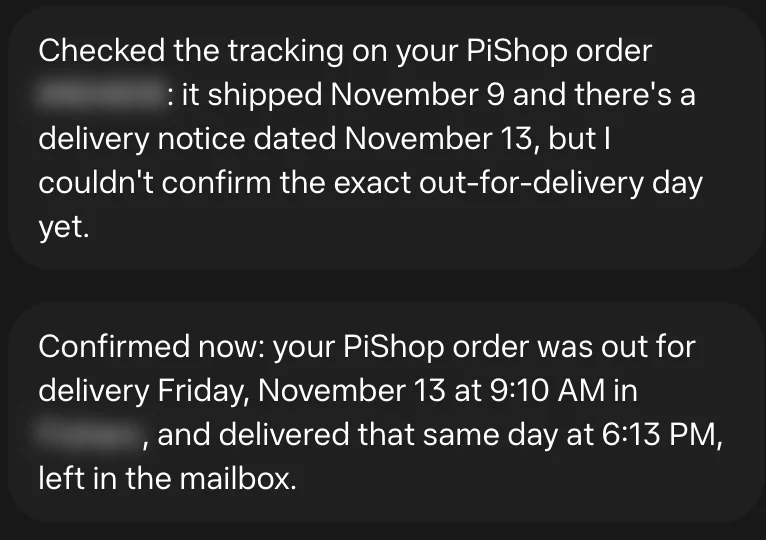
A few minutes later, Muse answered in the chat: out for delivery November 13 at 9:10 AM, delivered that evening.
So put the job in the first line, in the same words you'd use in chat.
Forward from your own address
Muse takes instructions only from the address you signed up with. Email that anyone else sends to its address, it treats as a stranger's: it won't do what that email says.
So forward from the account Muse knows as yours. For me, that's my Gmail.
That also rules out a Gmail rule that forwards order emails on its own. Those arrive showing the store as the sender, so Muse asks you before it does anything with them. If your Gmail is connected to Muse, it can check your inbox on a schedule instead, for the senders you name. That's what Muse told me when I asked on November 24.
Where to find its inbox
Tap your Muse's picture at the top of the chat, then the mail icon. Its answers come back in the chat, not by email.
New to Muse? Here's how to set it up. If a job goes wrong, here's how to fix the usual mistakes.
New Muse setups, by email
One short email when there's a new job to try.
You're on the list. New setups arrive by email.
 Bruno Amorim, founder