Muse reads the email and calendar you connect and does small jobs for you: notes, checks, drafts, and bookings. It runs in the Muse app on iPhone, Android, and Mac, on the web at muse.ai, and in WhatsApp, for people in the US who are 18 or older.
It's free, and it works with Gmail, Google Calendar, and Google Workspace, plus Facebook, Instagram, OpenTable, Ticketmaster, Spotify, and more. Before it sends an email or buys anything, it asks you.
Set it up
- Get the Muse app from the App Store or Google Play, or go to muse.ai. Sign in with your Meta account.
- Type "What's on my calendar today?" If Muse asks to connect Gmail or Google Calendar, tap Connect.
- When it answers with your day, it's ready for the setups below.
Six jobs to give Muse
Copy the words and send them to Muse.
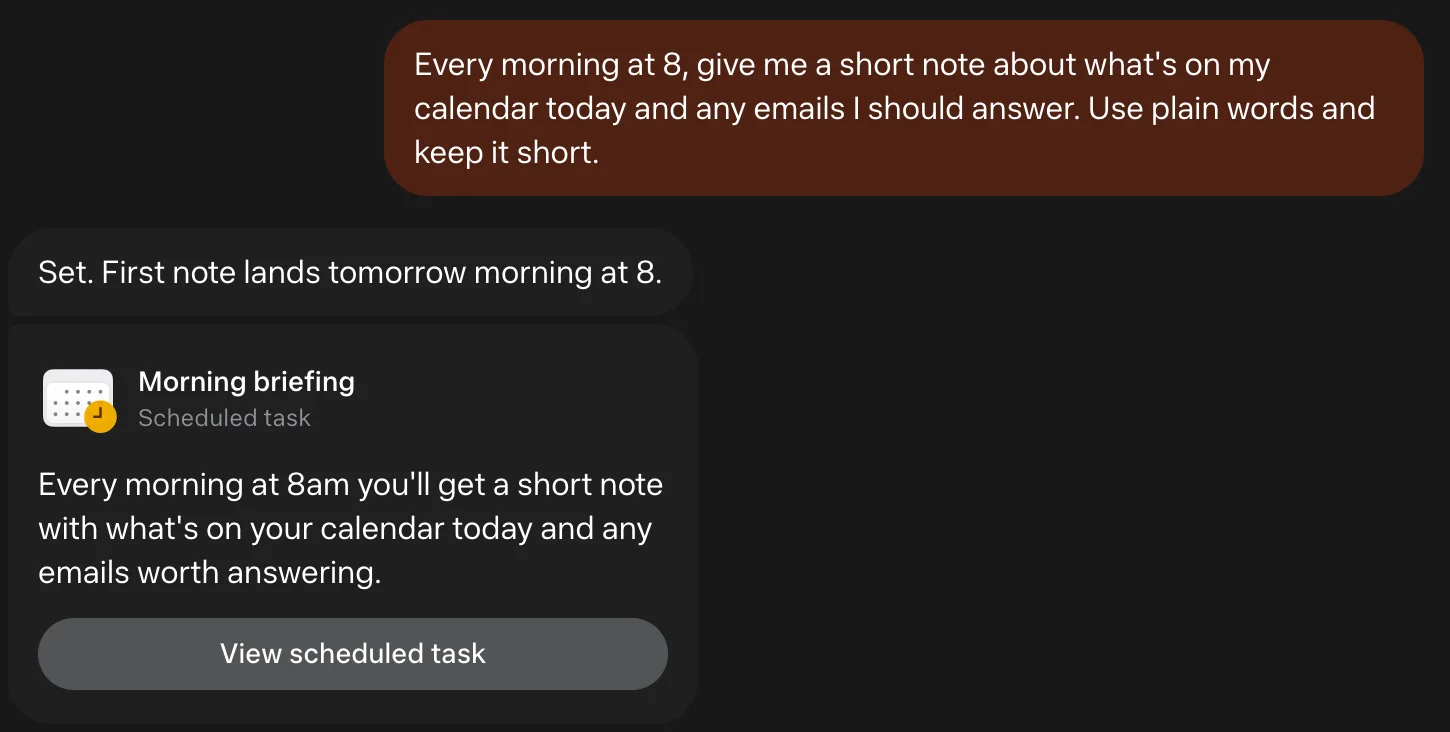
Your day, every morning
Every morning at 8, give me a short note about what's on my calendar today and any emails I should answer. Use plain words and keep it short.
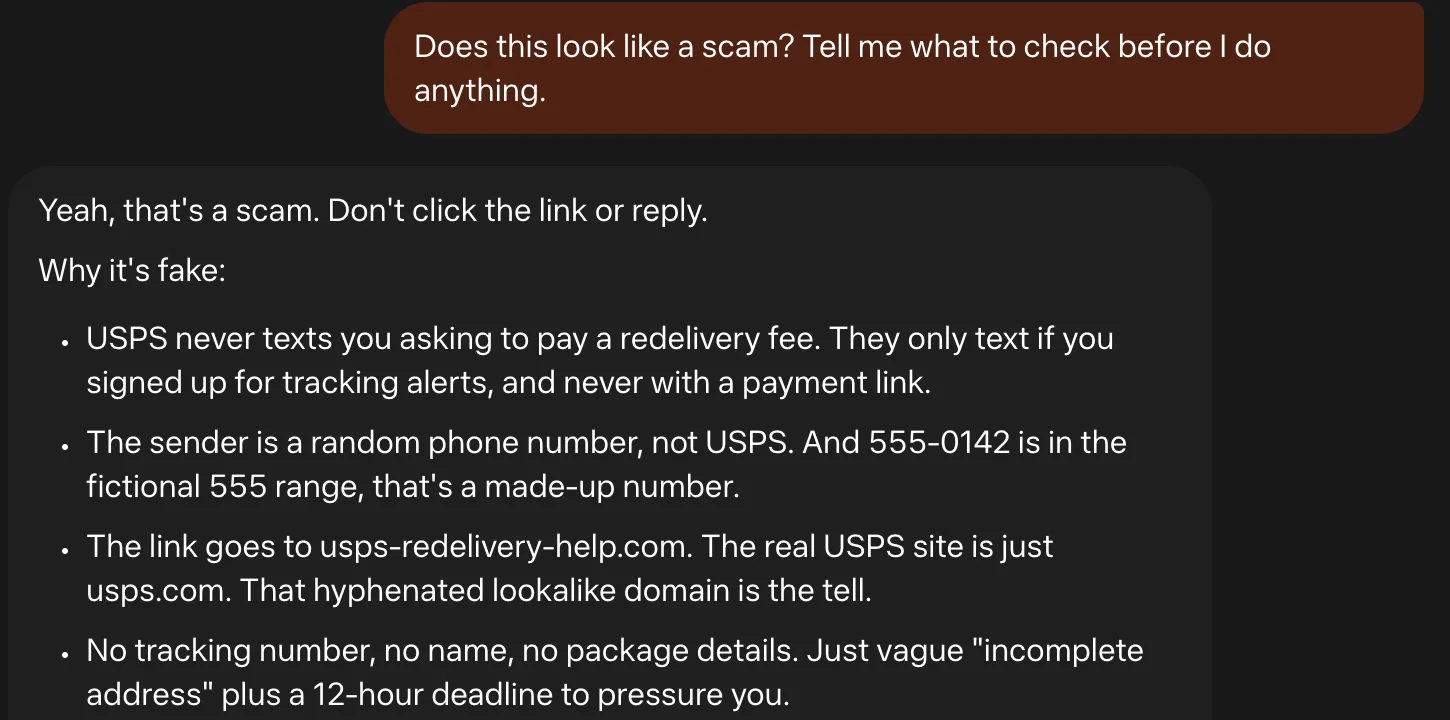
A second look before you click
Does this look like a scam? Tell me what to check before I do anything.
Birthdays, a week ahead
Every Sunday at 6 pm, tell me whose birthdays and anniversaries are coming up this week from my calendar.
Muse found the birthday on the calendar and offered to work out whose it was.
The full guide for seniorsThe week ahead, every Sunday
Every Sunday at 7 pm, give me a short note with this week's school events, practices, and anything I need to sign or pay, from my email and calendar.
Muse read email and calendar and listed what was already paid and what still needed a signature.
The full guide for parentsShowings and open leads, every morning
Every morning at 7, give me today's showings from my calendar and any new inquiries in my email I haven't answered, with a one-line reply I could send to each.
Muse checked the calendar and the inbox for unanswered inquiries before writing the note.
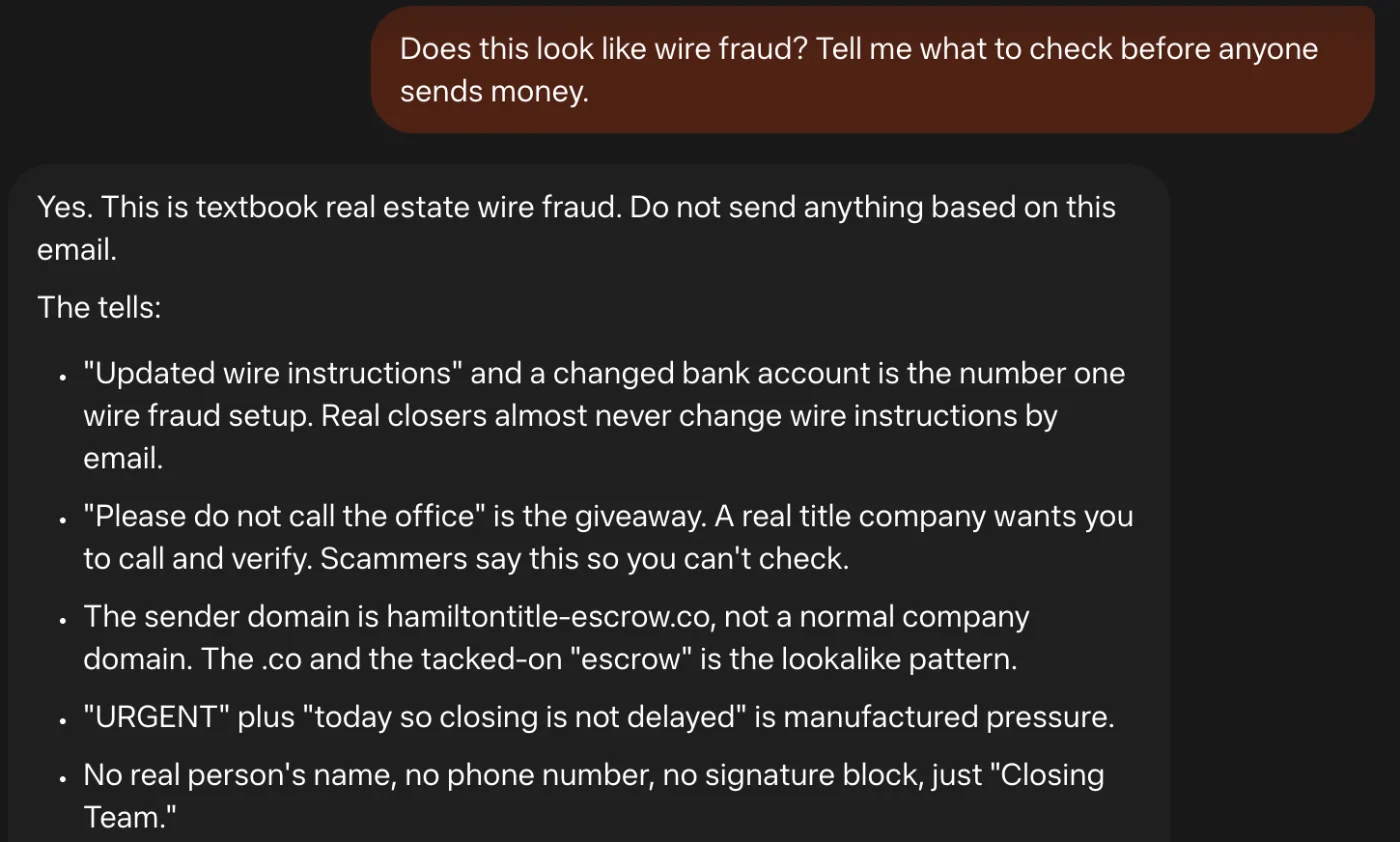
The full guide for realtorsWire instructions, checked
Does this look like wire fraud? Tell me what to check before anyone sends money.
More Muse use cases, all tested
Questions people ask
Is Muse free?
Yes. The free plan covers everyday use, with Gmail and Google Calendar included. Paid plans add more usage, not more features.
Will Muse send an email or buy something on its own?
It asks first. Muse asks you to approve before it sends an email or makes a purchase.
Should I use Muse or Grok Bot?
Grok Bot is xAI's personal agent, built around a team of bots you assign to different jobs. Muse is one agent that's simple to set up and free. For most people, Muse. For someone running a business with many jobs going at once, Grok Bot. See them side by side, or every agent compared.
Why does Muse keep getting things wrong?
Mostly four things: it makes up numbers, says a job is done when it isn't, lets daily jobs drift, and loses track in long chats. Each has a one-message fix. Here they are.
Can Muse post to my Facebook and Instagram?
Yes, and Threads too. You connect your accounts once, and Muse shows you each post before it goes out. What it costs and how to start.
Is Muse the same as Meta AI?
No. Meta AI is Meta's chat assistant at meta.ai. Muse is a separate personal agent at muse.ai that takes on jobs for you.
New Muse setups, by email
One short email when there's a new job to try.
You're on the list. New setups arrive by email.
 Bruno Amorim, founder